
Need to calculate the total area of multiple rooms, polylines, or closed objects in AutoCAD?
AutoCAD Total Area LISP instantly calculates the combined area of multiple selected objects with a single command. Whether you’re preparing HVAC cooling load calculations, floor finish quantities, architectural area schedules, or quantity take-offs, this lightweight LISP helps you complete repetitive measurements quickly and accurately.
Author and Use Terms
The routine credits Lee Mac, copyright 2010. BuildMEP provides this engineering use guide; it does not claim authorship of that code. See Lee Mac Programming and the author’s current terms. Those terms require written consent for redistribution and preservation of the original code and copyright notices. Free use is not the same as permission to redistribute. Confirm the applicable permission before sharing copies.
Using the Inspected TAA Routine
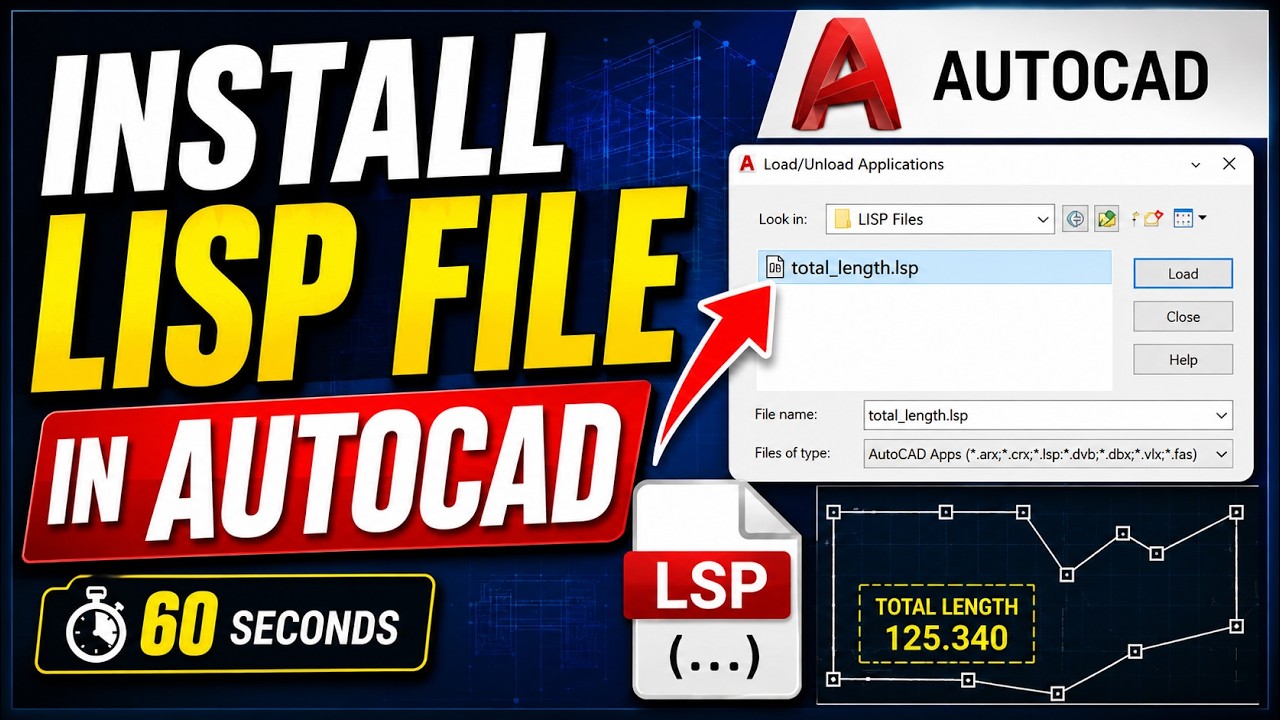
The downloaded source defines c:taa, so the command is TAA. Load the LSP through APPLOAD in a trusted folder, enter TAA, select the boundaries, and press Enter. The result appears as “Total Area” at the command line in squared drawing units. Divide a square-millimetre result by 1,000,000 to obtain square metres.
The selection filter accepts circles, ellipses, polylines and splines, excluding polygon meshes and polyface meshes. It does not select hatches or block inserts, subtract holes, remove duplicates, or verify that every boundary is closed. Use clean, closed, planar boundaries and exclude overlaps before making a room schedule. An unsupported or invalid curve can interrupt the routine because this file has no error handler.
The code calls vlax-curve-getArea, which Autodesk documents for Windows AutoCAD and AutoCAD LT 2024. It has no vl-load-com initialization call; if the curve function is undefined in your Windows session, initialize the ActiveX extensions with (vl-load-com) before trying again. This is source inspection and documentation checking, not an executed compatibility test. Check a known rectangle on a copy of the drawing before relying on project quantities.
Quick Specs
| Quick Specs | |
|---|---|
| 💰 Price | Free |
| Compatibility | Uses Windows-only curve functions documented for AutoCAD and AutoCAD LT 2024. AutoCAD LT for Windows gained AutoLISP in 2024; this download is not suitable as supplied for Mac or Web. Runtime testing remains necessary. |
| 🎯 Difficulty | Beginner |
Downloads Include
The routine is downloaded from the author’s own site (Lee Mac Programming), as his terms request. This page covers installation and practical MEP use.
| Use This Tool When You Need To… | Recommended LISP |
|---|---|
| Calculate the total length of ducts, pipes, cable trays, or polylines | Total Length AutoCAD LISP |
| Calculate the total area of rooms, slabs, floor finishes, or closed boundaries | Total Area AutoCAD LISP |
📺 Video Tutorial
Watch the complete step-by-step installation guide below.
Why Engineers Use AutoCAD Total Area LISP
For a room schedule, select one verified closed boundary per room. The summed geometry still needs a drawing-unit and scope check.
Every engineering discipline relies on area calculations during design, estimation, and project verification.
While AutoCAD’s built-in AREA command works well for measuring individual objects, it becomes repetitive when working with dozens or even hundreds of rooms, slabs, or floor finishes.
The Total Area AutoCAD LISP credited to Lee Mac eliminates this repetitive work by calculating the combined area of multiple selected objects in one operation.
Instead of measuring each object individually, you simply:
- Select the required objects.
- Press Enter.
- Get the total area instantly.
This saves time, reduces manual calculation errors, and improves productivity on projects of any size.
Common Engineering Applications
Area totals support quantity take-offs and cooling-load inputs, but do not by themselves calculate thermal loads or determine code-defined gross/net areas.
Exclude duplicate and overlapping boundaries, and document any deductions or measurement conventions.
🏢 HVAC Engineering
Calculate conditioned floor areas before performing cooling load calculations.
Examples:
- Office buildings
- Villas
- Schools
- Hospitals
- Shopping malls
🏗 Architecture
Quickly measure:
- Room areas
- Apartment layouts
- Gross Floor Area (GFA)
- Net Floor Area (NFA)
📐 Quantity Surveying
Perfect for:
- Tile quantities
- Waterproofing
- Floor finishes
- Concrete slabs
- Roofing
- Landscaping
🛋 Interior Design
Calculate:
- Carpet
- Vinyl
- Raised flooring
- Ceiling finishes
🚧 Civil Engineering
Measure:
- Parking areas
- Pavements
- Hardscape
- Softscape
- Site development areas
Why This Tool Saves Time
Imagine measuring the floor area of 120 rooms.
Using AutoCAD’s AREA command:
- Measure Room 1
- Record the value
- Repeat 120 times
- Add everything manually
Now imagine using the Total Area LISP.
- Run one command.
- Select every room.
- Press Enter.
- Done.
For large projects, this simple automation can save hours over the course of a project.
💡 BuildMEP Engineering Tip
Before calculating the total area, make sure your room boundaries are fully closed and your drawing units are correct. Clean drawings produce reliable results and prevent incorrect measurements.